You build the week.Their phones buzz. Done.

Every event group — throws, jumps, sprints, distance. Every level — high school, college, club, pro. One flat price per program, from $10/month.

30-day free trial on every plan · No credit card required · Cancel anytime

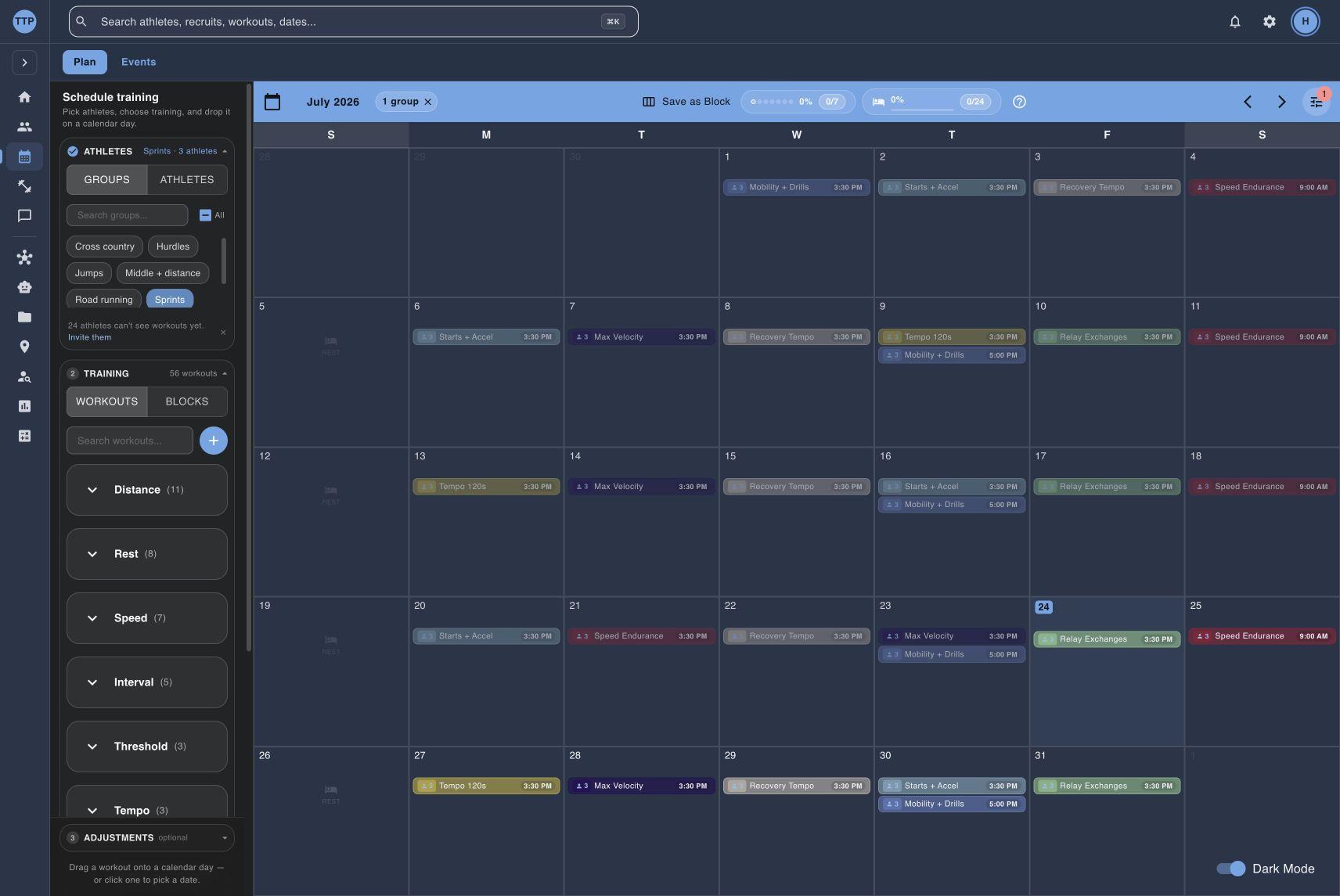
Track Tools Pro training calendar with a full week of workouts assigned by event group

30,000+

workouts scheduled

iOS + Android

native athlete apps

Here’s how one week runs on Track Tools Pro.

Story 01 — Monday morning

Build the week. Their phones buzz.

Plan the whole week on one calendar — every event group, every athlete. The moment you publish, it's on their phones. No group texts. No spreadsheets. No “did you see the workout?”

Animated demo: on Monday morning, a coach plans a full week of training on one calendar. A workout, five times one kilometer at threshold pace, is assigned to twelve distance athletes, and each athlete gets the same workout at their own pace. The coach fills the rest of the week — easy runs, hills, a tempo, a long run, and Sunday off — then publishes it. On an athlete's phone, a push notification arrives from Track Tools Pro reading “New training for today. Your coach added new training for today.” The athlete opens the app to see Monday's easy run at their own easy pace, a preview of tomorrow's kilometer repeats at their pace, and a Quick log button. Beside the calendar, the old ways — group texts, a spreadsheet, a mass email — are struck through and fade away. This demo is simulated; the workout screens and the push notification shown are the real product.

Simulated demo. Real product behavior — the workout screens and the push notification shown are the real thing.

STORY 02 — THE REST OF THE WEEK

The data comes back by itself.

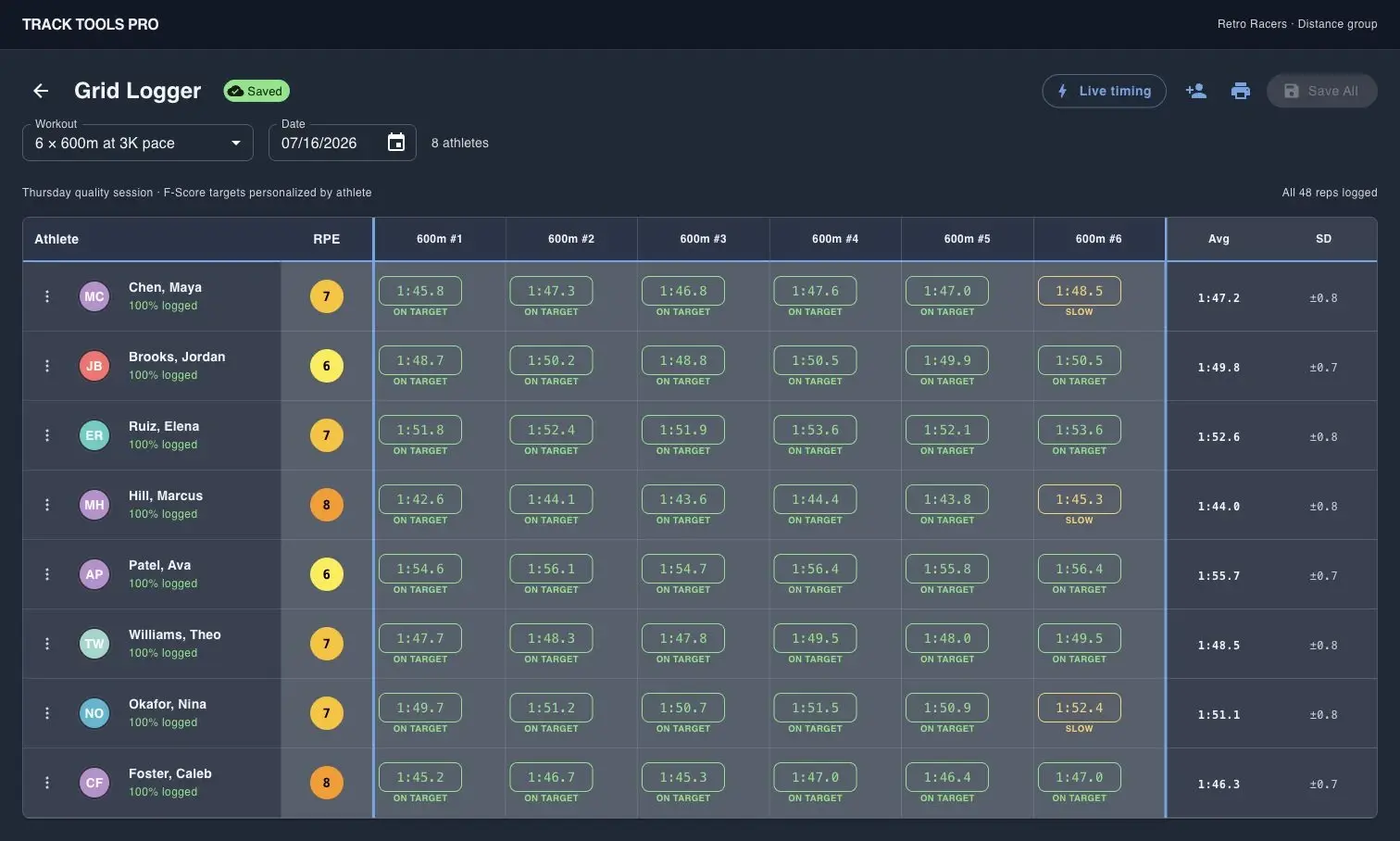
Athletes log in two taps — or Garmin logs it for them. Morning check-ins catch sleep and soreness. By Friday you know who did what, and who needs an easy day, without chasing a single log.

Animated demo: over one week, athlete training data returns to the coach on its own. On Tuesday an athlete taps Quick Log, sets a Session RPE, and saves it in two taps. Another athlete who forgot to log has a Garmin Connect run sync automatically. On Wednesday morning an athlete fills a check-in across the five real wellness metrics — Sleep, Energy, Soreness, Stress, and Mood — with sleep and soreness landing poor. On the coach's Team Pulse screen, a seven-day training-log-ratio grid fills in green as each log and sync arrives, a weekly load line rises, and one athlete, T. Nguyen, is flagged Needs Attention with a Load Spike and a Low Log Ratio and a declining wellness trend. The coach sends that athlete a direct message — “Easy day tomorrow — let's talk before practice.” — which arrives as a push notification on the athlete's phone. This demo is simulated; every screen, notification, wellness metric, and flag shown is real Track Tools Pro.

Simulated demo. Real product behavior — quick log, Garmin sync, check-ins, and Pulse are all real Track Tools Pro.

It's all in one place now. Which means you can just ask for it —

Story 03 — Works with AI assistants

Ask for anything. Watch it happen.

Your plan, logs, and check-ins all live in one place now — so connect your team once to an AI assistant like Claude, Cowork, or Codex, and just type. Plan training weeks, clean up your library, import rosters, and get real answers from your own team's data.

The assistant signs in as you, sees only your team, and asks before it changes anything.

Animated demo: a coach types a plain-English request to an AI assistant, the assistant runs real Track Tools Pro tools, and a miniature Track Tools Pro screen updates. Four scenarios play in a loop. Plan a week: the assistant drafts seven days of training for twelve athletes and assigns the workouts after the coach approves. Clean the library: the assistant finds 63 workouts, archives 21 that were never assigned, and merges duplicates after approval. Import a roster: the assistant reads a school roster page, skips three athletes already on the roster, and adds 21 with events and PRs after approval. Spot trouble early: the assistant flags two athletes at overload risk from load and wellness data while the rest stay on plan. The conversation is simulated; every command shown is a real tool the connection supports, and write actions run only after the coach approves.

Simulated conversation. Real Track Tools Pro tools — every command shown is one the connection actually supports.

Set up your assistant

Included on every plan — takes about five minutes.

Every event group

Endurance apps make you pick run, bike, or tri. A track roster has ten event groups.

Track Tools Pro assigns training by event group, and each event gets logging fields that fit it — so your throwers stop logging “runs.”

Sprints

100m–400m

Hurdles

sprint & long hurdles

Middle distance

800m–1500m

Distance

3K–marathon+

Steeplechase

2000m & 3000m

Throws

shot, disc, hammer, javelin

Jumps

long, triple, high, pole vault

Relays

sprint & distance relays

Cross country

the fall season

Road & trail

off-track miles

One calendar, filtered by group — distance plans next to throws plans without one-size-fits-all programming.

And the rest of the job

Everything else a program runs on.

The three stories above are the spine. These come with the same login.

Recruiting

Pipeline board, questionnaires, visits, and budget.

Team Files

Meet packets and PDFs, shared once.

Weather

Forecast on the calendar, planned around.

Motion Lens

Pro

Video analysis with skeletal overlay.

Availability

Who can practice when, at a glance.

Team Messaging

Channels, DMs, and reactions — pushed to phones.

Route Builder

Courses drawn on satellite maps.

Reports

Team summaries, delivered on a schedule.

School Records

Your record board, kept current.

Meet-day calculators

Splits, conversions, and scoring math.

Motion Lens is on the Pro plan. Recruiting, Team Messaging, Weather, and Reports are on Team and Pro.

Pricing

One flat price per program. Never per athlete.

30-day free trial on every plan — no credit card required. Annual billing is 2 months free.

Basic

Solo coach, small squad.

$10/ month

50 athletes · 1 coach

Start free trial — 30 days

No credit card required · Cancel anytime

  • Training Plans & workout generation
  • Event groups
  • Training logs
  • Availability heatmap & AI schedule scan
  • Routes & pins
  • Garmin Connect sync
  • Mobile apps (iOS + Android)
Most popular

Team

Full high school staff — assistants included.

$20/ month

75 athletes · 5 coaches

Start free trial — 30 days

No credit card required · Cancel anytime

  • Everything in Basic
  • Pulse Dashboard (load monitoring)
  • Athlete Dashboards & Dossiers
  • Return to Play
  • Coach Messaging (channels & DMs)
  • Recruiting Manager (college teams)
  • Reports & automated scheduling
  • AI workout generation

Pro

College and serious programs.

$30/ month

100+ athletes · 10+ coaches

Start free trial — 30 days

No credit card required · Cancel anytime

  • Everything in Team
  • Motion Lens video analysis
  • AI answers from your PDFs (meet documents, manuals)
  • File management (high limits)
  • Priority support

The same 80-athlete, 5-coach program, priced elsewhere

TrainingPeaks

public estimate: 5 coach accounts + 75 Premium athletes

$848.70/mo

Final Surge

public team package + Athlete Premium for the roster

$439/mo

TeamBuildr Strength

Gold tier — rosters over 50 athletes

from $150/mo

Track Tools Pro

Pro plan — the whole program

$30/mo flat

Public list pricing verified March 13, 2026 and re-checked June 9, 2026. TrainingPeaks estimated as one paid coach account per coach plus Premium athlete accounts across the roster — lighter configurations cost less but drop full-roster scheduling and monitoring. Final Surge estimated as its public team package plus Athlete Premium. Final Surge offers school discounts by contact, and competitor pricing can change.

Track Tools Pro has significantly reduced the time spent on planning, organizing, and tracking workouts and performances. The platform is efficient, easy to use, and allows me to focus more on athlete development rather than administrative tasks.

Laquone Robinson

Head Cross Country & Track and Field Coach, Valley City State University

Built inside the program quoted above: founder Steven Brown — NCAA Division II All-American — coached distance at Valley City State and built Track Tools Pro for his own athletes first. Coach Robinson’s words come from daily use, not a case study.

Questions coaches ask

Before you start the trial

Yes. Track Tools Pro supports every event: sprints (100m–400m), middle distance (800m–1500m), distance (3K–marathon+), hurdles, steeplechase, throws (shot, disc, hammer, javelin), jumps (long, triple, high, pole vault), relays, cross country, and road/trail running. Each event type has tailored logging fields.

Build the week. Their phones buzz. The data comes back.

Run a full training block on the 30-day free trial — full access, no credit card required. If it doesn’t fit your program, cancel anytime.

Start free trial

30-day free trial on every plan · No credit card required · Cancel anytime

30,000+ workouts scheduled